



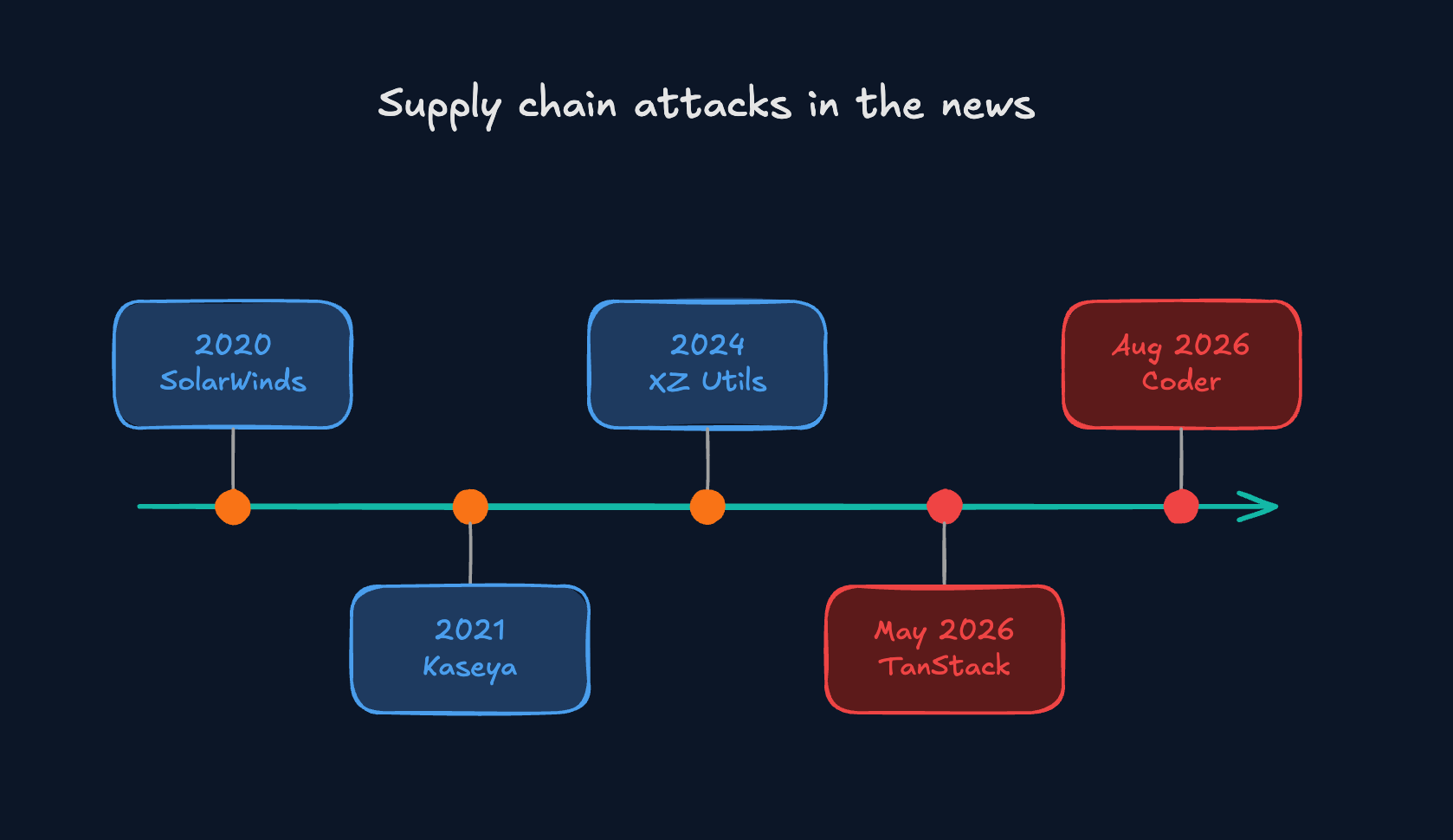
If you’ve read any security news this year, you’ll have seen “supply chain attack” everywhere. OpenAI got caught up in one in May. Coder, a developer platform whose users include prominent private and government organisations was hit at the end of August. So what actually is one and why does it keep working?
What is it?
A supply chain attack is when a criminal doesn’t break into you directly. They break into something you already trust and let that trust carry them inside…sorta speak.
Think about a bakery. You can fit the best locks going on the front door, but if someone poisons the flour at the mill, it comes in through the delivery entrance and nobody checks it, because it’s the same flour you’ve bought every week for ten years. Swap flour for software and you’ve got it. Companies spend a fortune on the front door, so the clever attackers stopped knocking and went after the suppliers instead. Stupid example I know but it works.
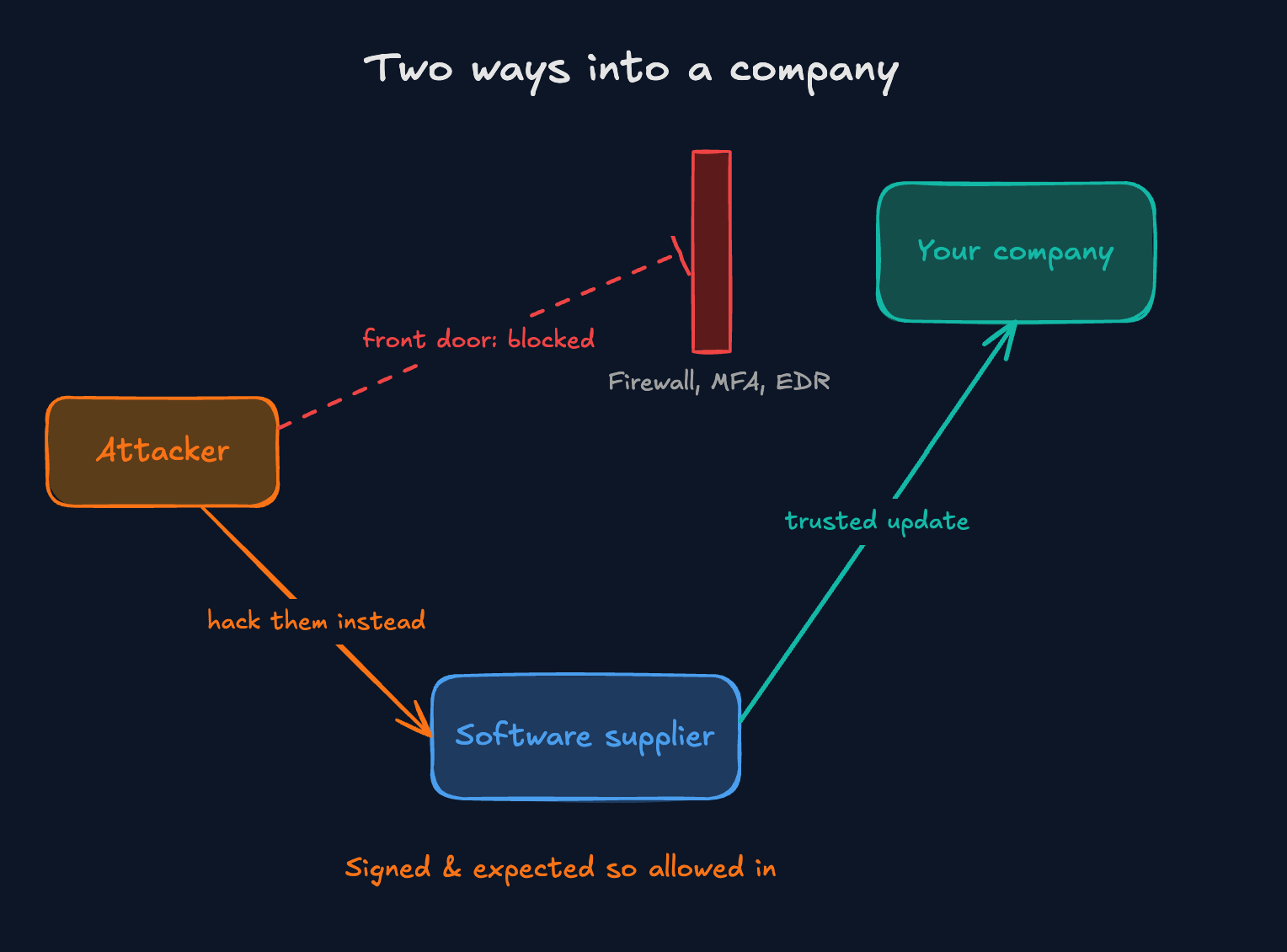
Attackers love this for two reasons: trust and scale. Whatever a supplier sends you is expected and usually waved straight through. And if I break into one company, I’ve got one victim, but if I break into software that ten thousand companies use, I’ve got ten thousand victims for the same effort.
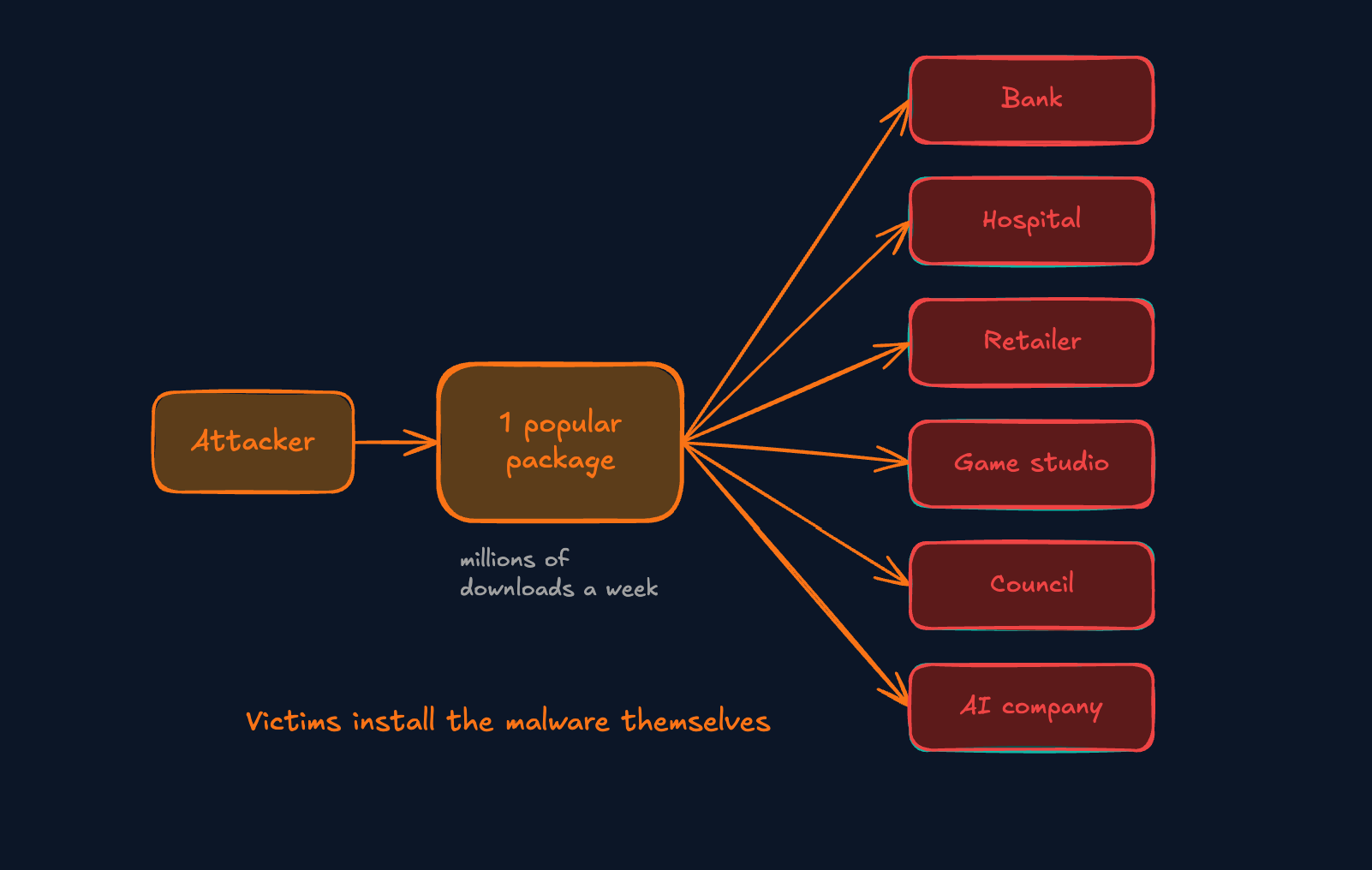
One of the packages hit in May, @tanstack/react-router, gets around 12 million downloads a week on its own. Why bother phishing people when they’ll install your malware for you?
So where’s the “chain”?
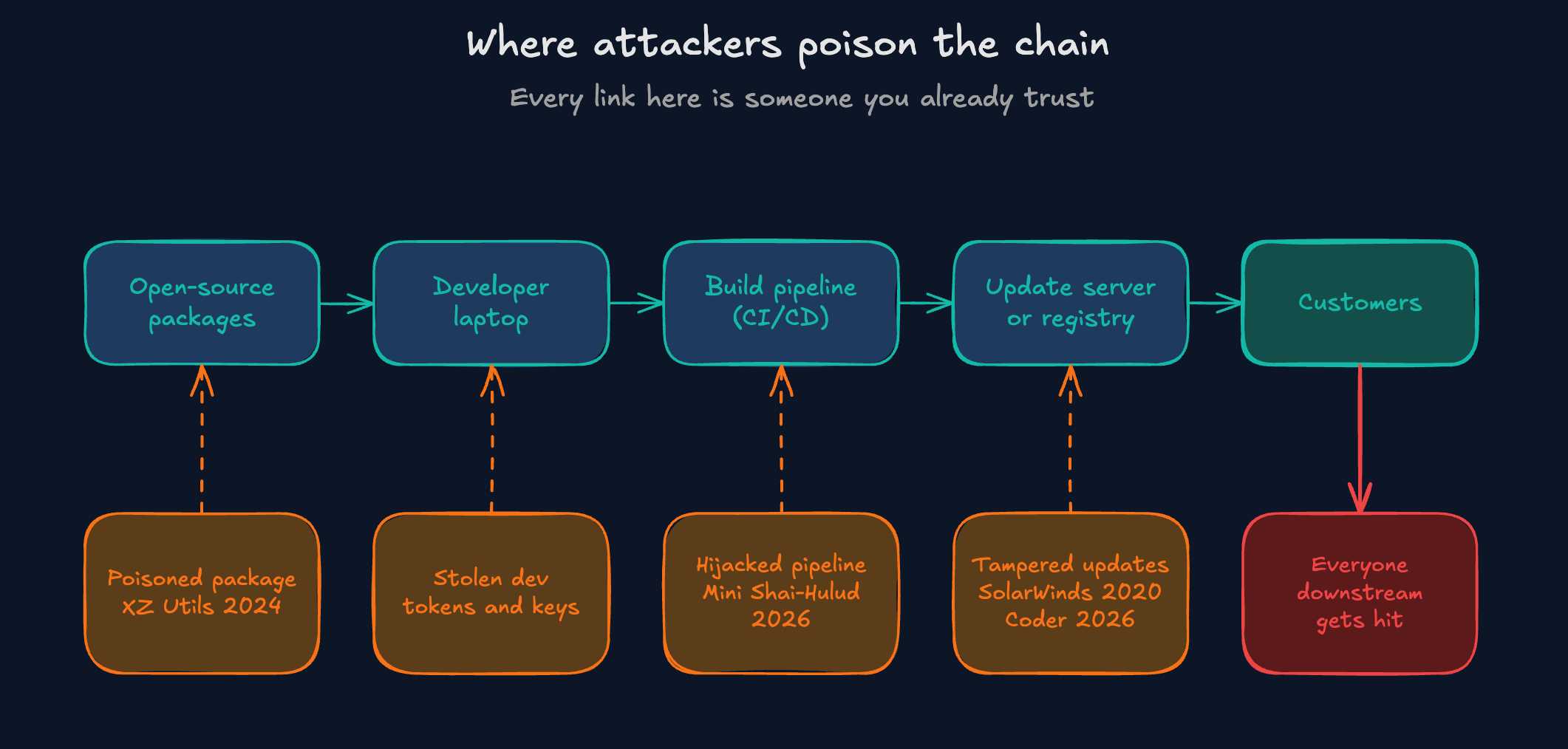
Very little modern software is written from scratch. Most of the code inside an app came from somewhere else: free open source packages, libraries and tools written by other people, which rely on their own packages, which rely on more. That code then runs through a build pipeline (the automated system that tests and packages it), gets published to an update server or registry, and ends up on customers machines.
Mini Shai-Hulud (yes like the sandworm from Dune). On 11 May 2026, TanStack, a widely used open source library, was compromised as part of this wider campaign. TanStack confirmed 84 malicious versions across 42 of its packages, and the whole thing reached more than 170 packages across npm and PyPI, including ones from Mistral AI and UiPath. What makes it different is that it’s a worm, so it spreads on its own. Once it steals credentials from one build pipeline, it finds every package that maintainer controls and publishes infected versions of all of them. Anyone who installs those gets infected, their tokens get taken, and round it goes again.
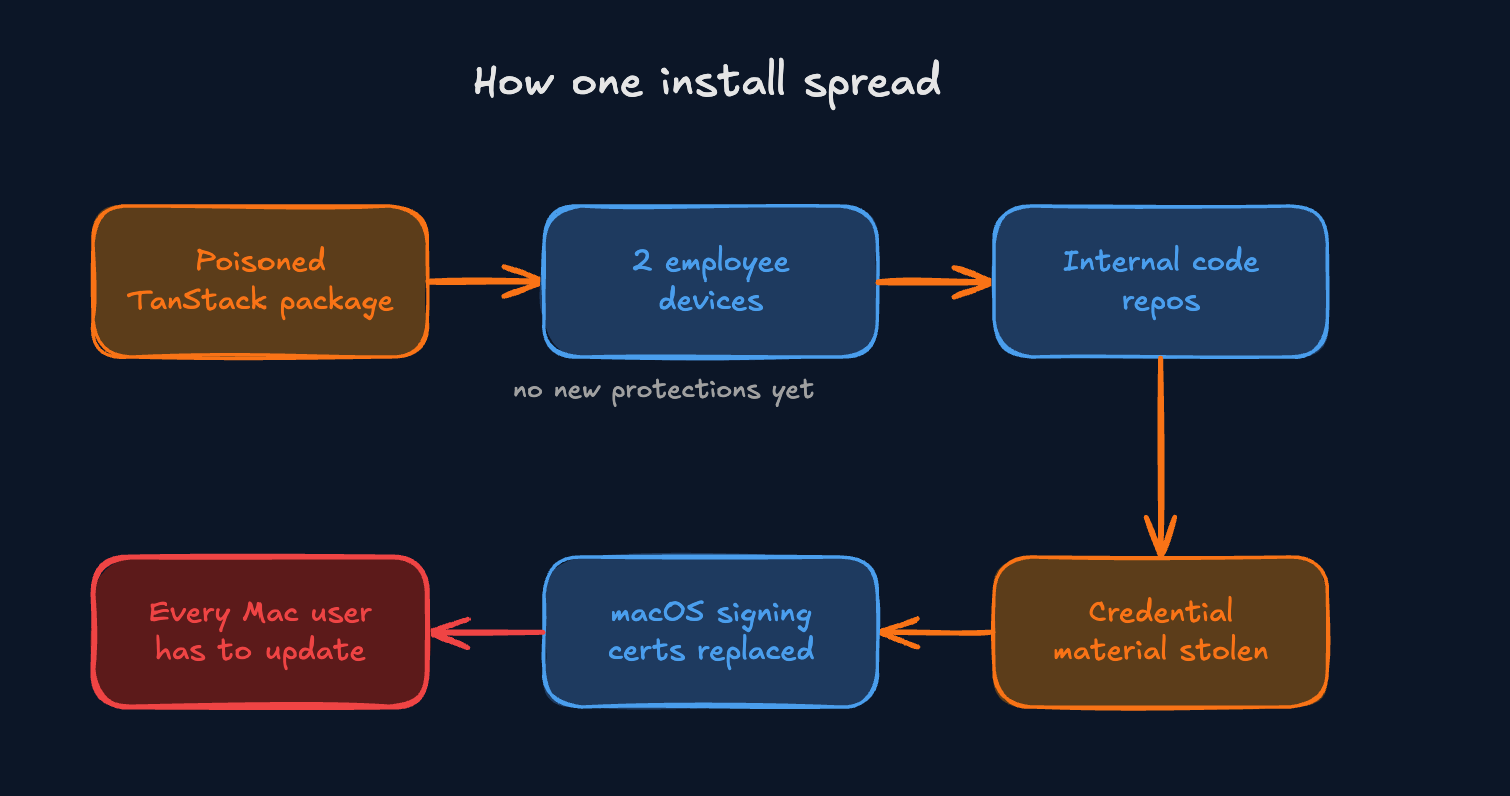
The malicious versions were pushed through the project’s own release pipeline. In plain English, the “this is genuine” stamp was real. OpenAI was one of the victims. Two employee devices were affected and OpenAI saw credential theft activity in a limited set of internal code repositories those staff could reach. It found no evidence that user data, production systems or its software were touched but it still replaced the certificates that prove its Mac apps are legit, so every macOS user had to update. The part I’d pay most attention to: those two devices hadn’t yet received the new package protections OpenAI was rolling out, which would have blocked the malicious dependency. The fix existed It just hadn’t reached them yet.
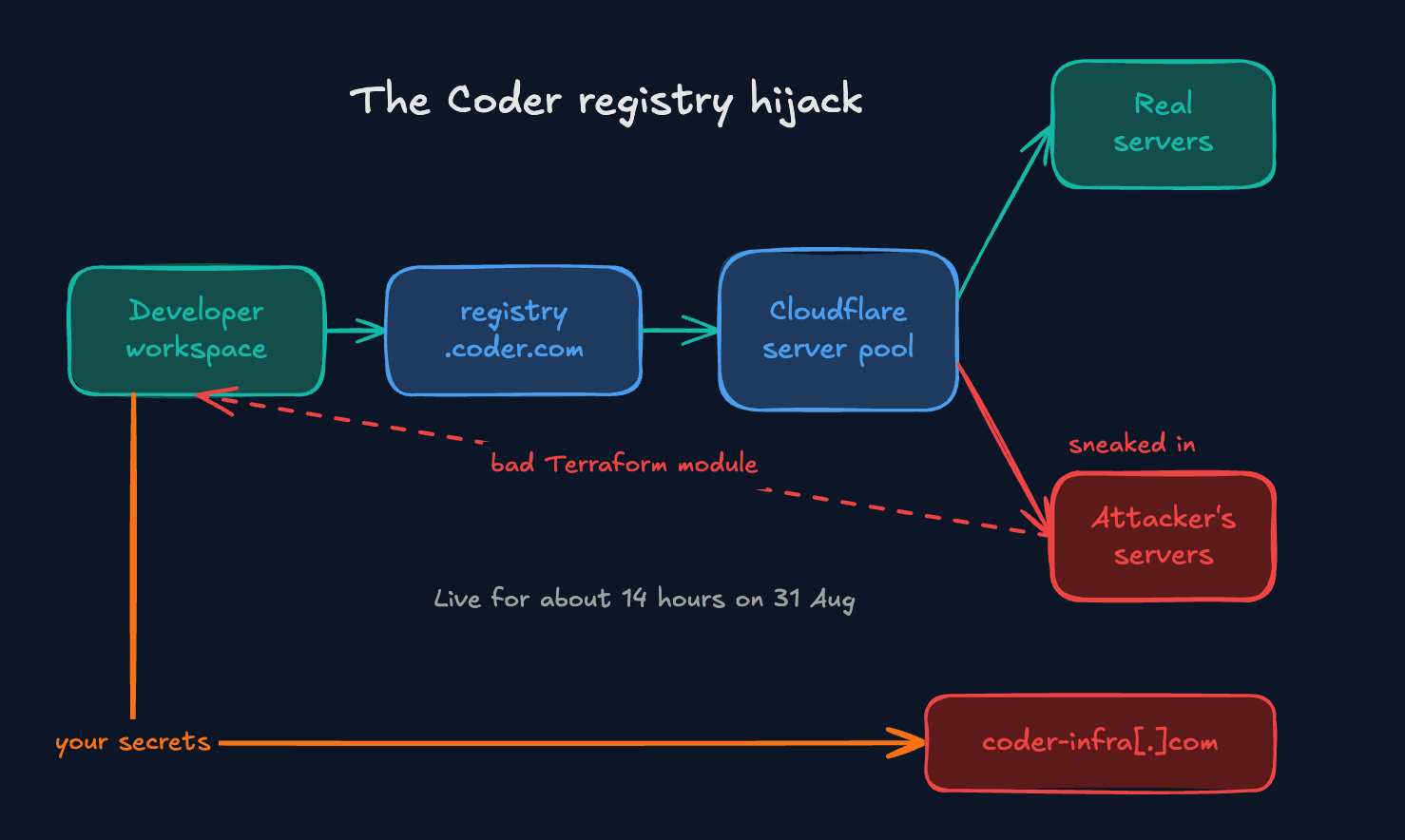
Another cool example: An attacker got into Coder’s Cloudflare infrastructure and added their own servers to the pool behind its module registry. Between 07:35 and 21:45 on Monday 31 August, those servers handed out modified Terraform modules (ready made building blocks for setting up cloud infrastructure). The modules hunted for cloud and AI tool API keys, CI/CD credentials, SSH keys and other secrets, then sent them to a lookalike domain, coder-infra[.]com which had been registered three days before the attack. There was no weird link to spot. The address was right, the vendor was right and developers still got malware.
So what can you actually do?
You can’t read every line of every package you install and tbh nobody expects you to. You can make yourself a much harder target though. Keep a Software Bill of Materials: SBOM, which is just a list of everything inside your software. Pin your versions and use lockfiles so new releases can’t sneak into a build. Wait a few days before installing brand new versions, because most the time security vendors constantly scan package registries for malware and plenty of bad releases get flagged quickly. Use short lived credentials so a stolen token dies fast. Give suppliers only the access they need and check which third party apps are connected to your email and cloud accounts. Finally, practise rotating keys!
Cyber Notes - W J Pearce
Related Projects:
Learn this Container Security Tool… 📦⚔️

Last Issue: Hacking Project 101: Reverse Shells with Netcat


