



Last Week: The Ultimate Docker Project: Part One 🐋
Next Week: The Ultimate Docker Project: Part Two 🐋
This Week: Getting Started With Claude Code 📘
Why?
Planning your project. You can now get an idea out of your head into a real live working demo in under 30 mins.
Understands your whole codebase. Letting you ask high level questions to quickly grasp what the project your working on is all about.
Performs real actions. Editing files, fixing bugs, and committing changes directly from your terminal.
Chat based interface. This means you can describe what you want in plain English and Claude handles the technical execution.
Accelerates development. Turning vague ideas into working code, CLI tools, scripts, or even full stack projects.
Pre Ramble, feel free to skip…
"Vibe Coding" is probably a term you've heard by now. It's something I feel conflicted about. On one hand, it's truly incredible to be able to spin up a demo web app in less than an hour. Then with something like Vercel hosting + Supabase, you literally have a full featured web app ready to go.
On the other hand, you're going to miss out on the painful learning curve that will shape who you are as an engineer. I'm not a developer, i’m actually pretty terrible at programming and don't want to come across like I'm gatekeeping, but I do think there's magic in the struggle….Building and hosting that first Flask Python Web App is a pivotal moment.
That being said, tools like Claude Code are here to stay and it's best we learn how to use them and how to work with them. Ultimately, as Cybersecurity people, we need to highlight the new attack vectors they bring. If it's something devs of the future are going to be using, we need to ensure we're ready. If you don’t already know take a look into what the SDLC is, I really think we are at a changing point for the flow here with these tools.
This week I'm just going to focus on how to get set up with Claude Code. If the response is decent, I'll dive further into the security angle.
🚀 Ramble out the way, Claude Code really is awesome so let’s get to using it! 🚀
How to Install And Use Claude Code
1. Prerequisites
Ensure you have Node.js 18+ at least 4 GB RAM: You can grab it here: https://nodejs.org/en/download

Run installer and follow the prompts…simple :) Node.js is a JavaScript runtime environment that allows you to run JavaScript code outside of a web browser.
You’re running one of the supported OS: macOS 10.15+, Ubuntu 20.04+/Debian 10+, Windows 10+ via WSL or Git Bash

2. Install the CLI
Run this command from your terminal which you can grab from Here
npm install -g @anthropic-ai/claude-codeWait for the downlaod which should only take a few moments
3. Run Claude Code
Create a folder for your test project, move into it and literally just type claude from your terminal:
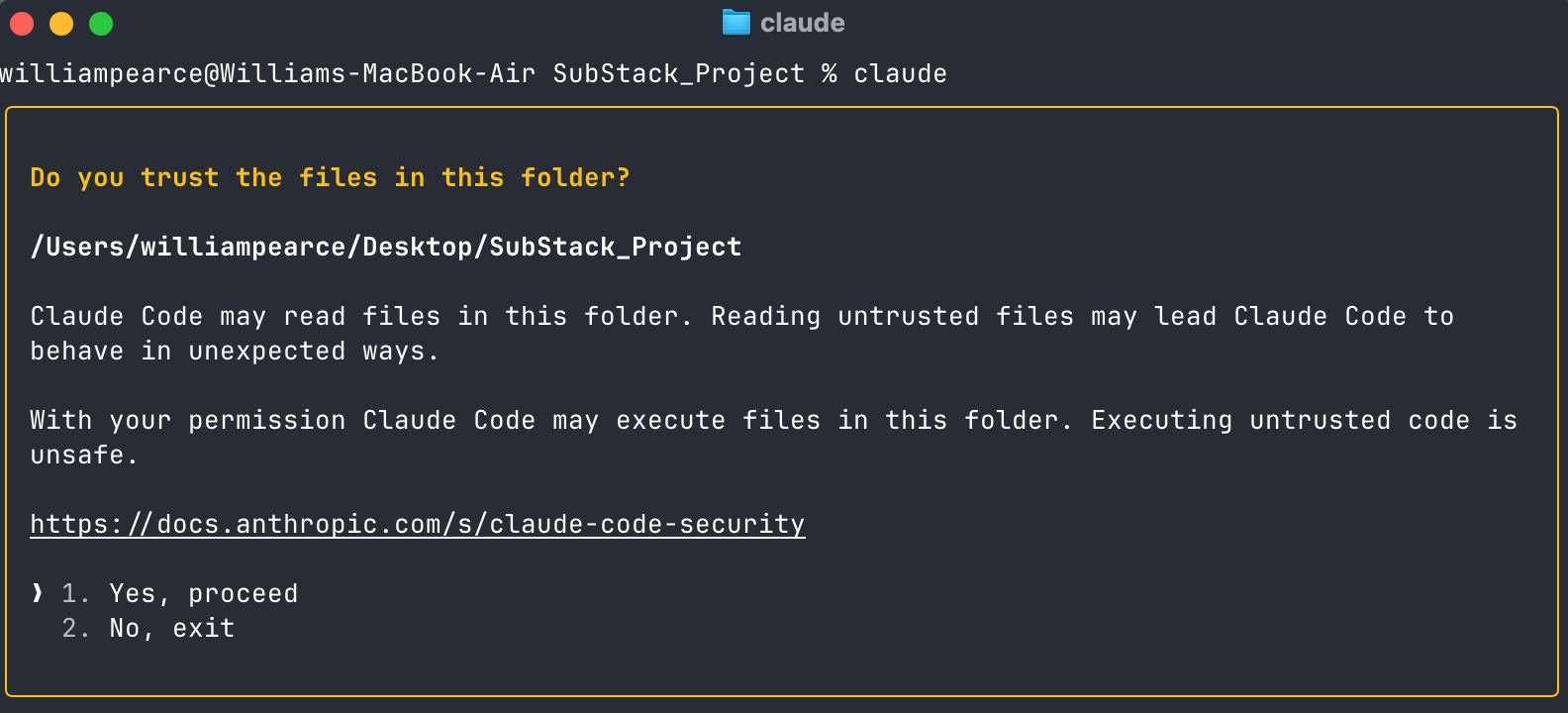
When prompted during setup or first use, log in with the same credentials you use for Claude (it goes without saying you’ll need an account here)
This will connect your Pro or Max plan subscription to Claude Code.
It will ask you some setup permissions and you’re good to go!
3. Let’s Build
Start with a simple prompt
> help me create a basic web app, running on local host I can use to keep Cloud Project Documentation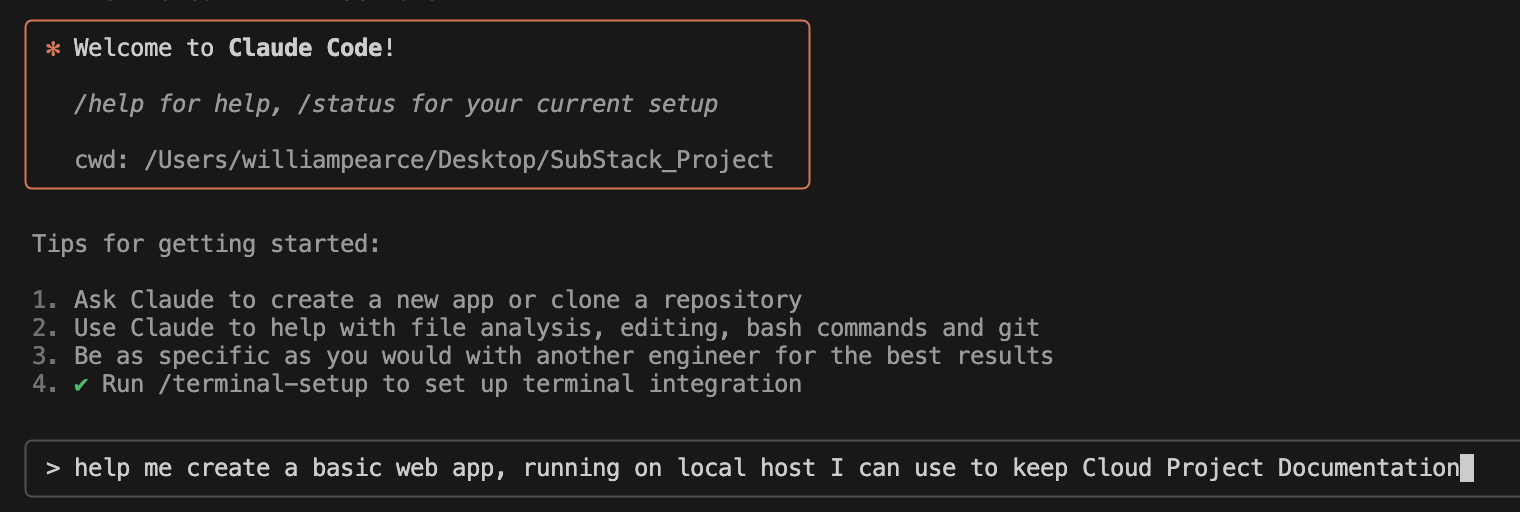
We can see here Claude is running through the steps of getting your project started.
It will ask for permissions at each stage, unless you select “Yes, and don’t ask again for this session”
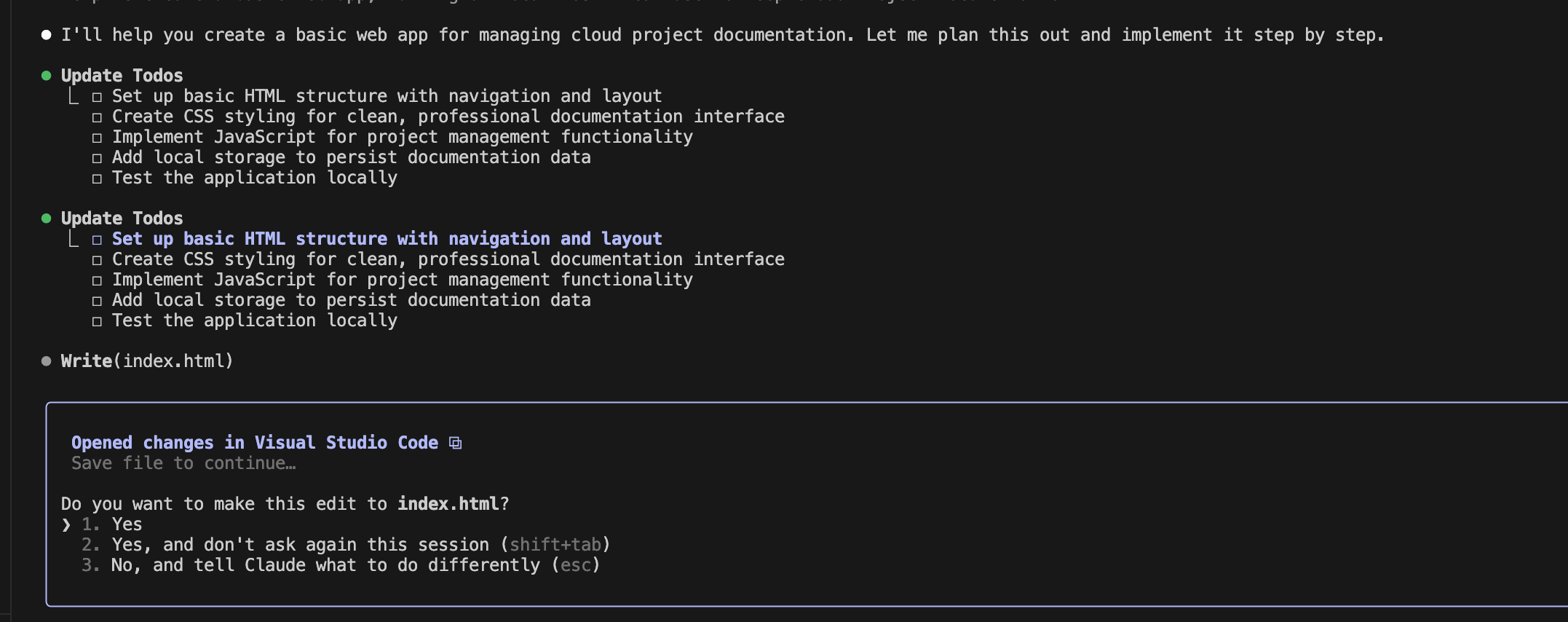
In real time we can see the directory structure and files Claude is creating
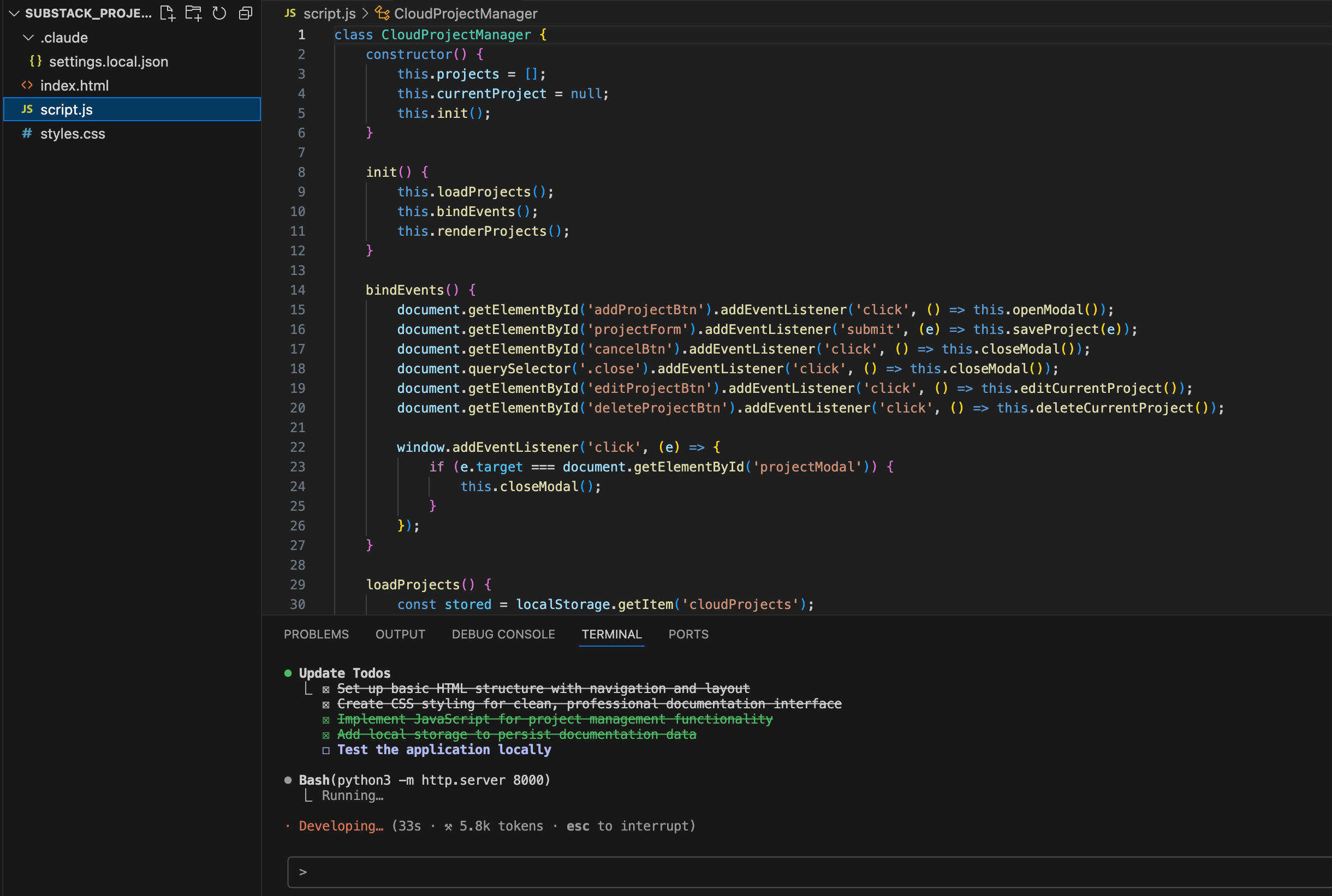
Done!

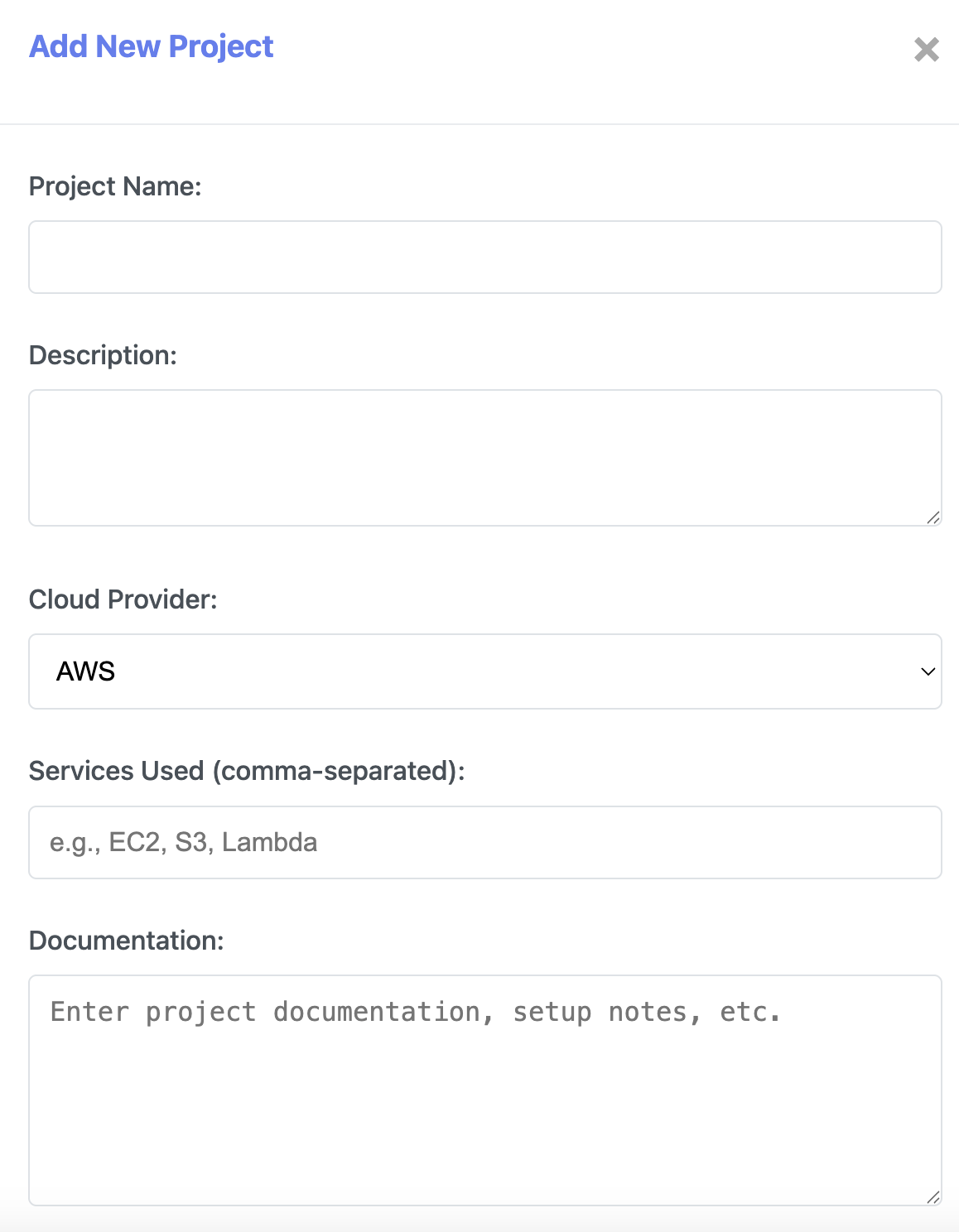
As far as getting an idea out into the real world as a small demo goes, it’s pretty cool! Let me know what you’re planning to build below.
This isn’t Claude Code’s only use case, but it’s by far the coolest. From here, we could:
Rapidly create the directory structure and files needed to start some AWS infrastructure with Terraform
Clone a repo and quickly work out how to run the code
Make changes to our codebase in multiple places with a single prompt
The list is endless. Combine this with agents you’ve hosted in the cloud, and you really could create some brilliant stuff!
WJPearce - CyberBrew
Enjoyed this? Why not check out my other reads…
Claude is great. I use Claude to double check chatgpt and vice versa.