



Last Issue: Quick Weekend Project: WARP Terminal ⌨️
Next Issue: Are Cloud Security Certs Still even worth it?
AI skills used to be “cool to know.” Now they’re “need to know” and if you’re early in your cloud security career, that can feel like drinking from a firehose.
Good news: you don’t need to learn everything.
Here are three very basic ways I’m actually using Claude Code in my day to day cloud security work. All stuff you can copy this week.
1. Stop fighting the AWS CLI
The AWS CLI is essential. The syntax is also brutal. Nobody remembers the flag order for aws s3 put-bucket-policy off the top of their head.
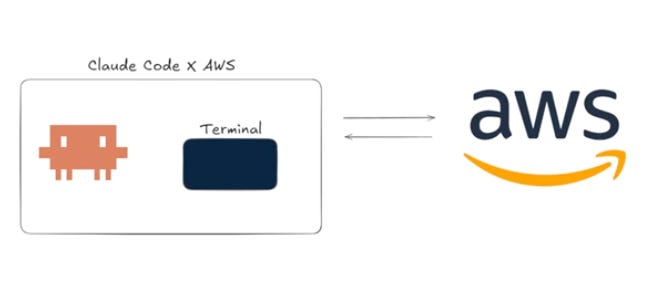
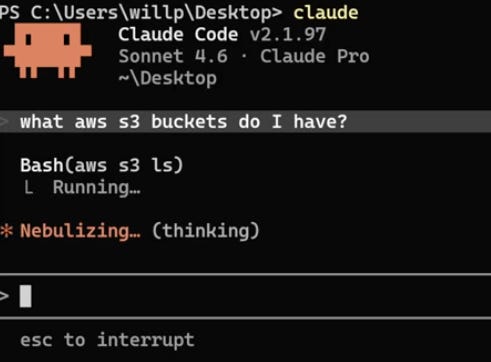
Claude Code fixes this. Launch it in your terminal and just ask:
“List my S3 buckets” → it runs the bash, returns a clean table.
“Create a text file and push it to bucket X” → done.
“Delete this bucket” → it actually pauses and warns you the action is irreversible before proceeding. Small thing. Saved me already.
One caveat I won’t shut up about: a compromised Claude Code session is a compromised AWS estate. So before you let it loose:
Scope it to a dedicated IAM user with minimal permissions
Run it inside a dummy virtual environment
Store your credentials in AWS Vault, not in plaintext config files
This is the difference between a productivity boost and a breach waiting to happen.
2. Terraform that doesn’t embarrass you
Cloud security engineers live in Infrastructure as Code. Mostly Terraform.
Here’s the problem: vanilla AI generated Terraform is shitty. Inconsistent naming, no modules, no security checks, no thought to versioning. Fine for a tutorial. Useless in production.
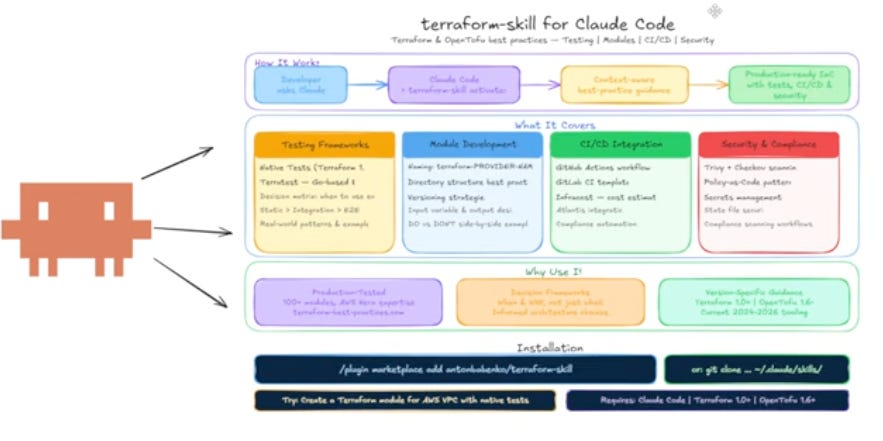
The fix is using a proper Terraform skill, one that bakes in:
Pinned versions and consistent formatting
Reusable modules
Testing frameworks and CI/CD hooks
Security scanning with Trivy and policy as code
I tested it with a basic ask: VPC, two subnets, an EC2 instance. Standard models gave me something that would fail any half-decent review. Claude with the Terraform skill loaded up in VS Code pinned everything correctly and automatically split VPC security group ingress and egress into separate rules. which is the modern best practice most tutorials still get wrong.
3. Connect everything with Docker MCP
Containerisation is the bread and butter of this job. So is wiring tools together.
Historically, getting AI to talk to your tools meant writing custom API integrations for every single one. That gets ugly fast.
Enter Model Context Protocol. It’s a standardised way for LLMs to talk to external tools. Instead of teaching the AI how to authenticate against ten different APIs, you run an MCP server in the middle that handles all of that for you.
The easiest on ramp is Docker Desktop’s MCP support. Quick demo: I spun up the Obsidian MCP server, gave it a local REST API token, and Claude Code immediately connected to my vault. Now I can:
Generate a structured note (AWS pen testing rules of engagement)
Drop it into the right folder
Query that knowledge later from any Claude session
That’s a real second brain. And it took about ten minutes to set up.
Takeaway
You don’t need to chase every shiny AI project. You need to find the manual, repetitive parts of your workflow, writing Terraform, typing CLI commands, organising notes and offload them.
You still need to understand what’s happening underneath. AI is amazing at doing the boring parts for you. It’s terrible at being your fundamentals.
WJPearce - Cyber Notes
⬇️ ⬇️ ⬇️ ⬇️ More Projects ⬇️ ⬇️ ⬇️ ⬇️