



70% of the code in your app wasn’t written by you.
Spin up a basic Python web app and you’ve already pulled in a web framework, a templating engine, an HTTP library and whatever else those depend on.
And every so often, someone finds a hole in one of them.
So how do you know if the stuff you’ve pulled in is safe? You scan it.
Today we’re doing exactly that with OSV-Scanner, a free, open source tool from Google. This one is probably a smidgen too long for your inbox, so follow along in your browser.
By the end of this newsletter, you’ll:
✅ Understand the moving parts: dependencies, lockfiles, advisories, CVEs and the OSV database
✅ Install OSV-Scanner on Windows (WSL), macOS or Linux
✅ Scan a deliberately vulnerable app, read every column of the results, fix it and prove it’s fixed
✅ Know exactly where this fits in a proper DevSecOps pipeline (and on your CV)
Let’s get into it…
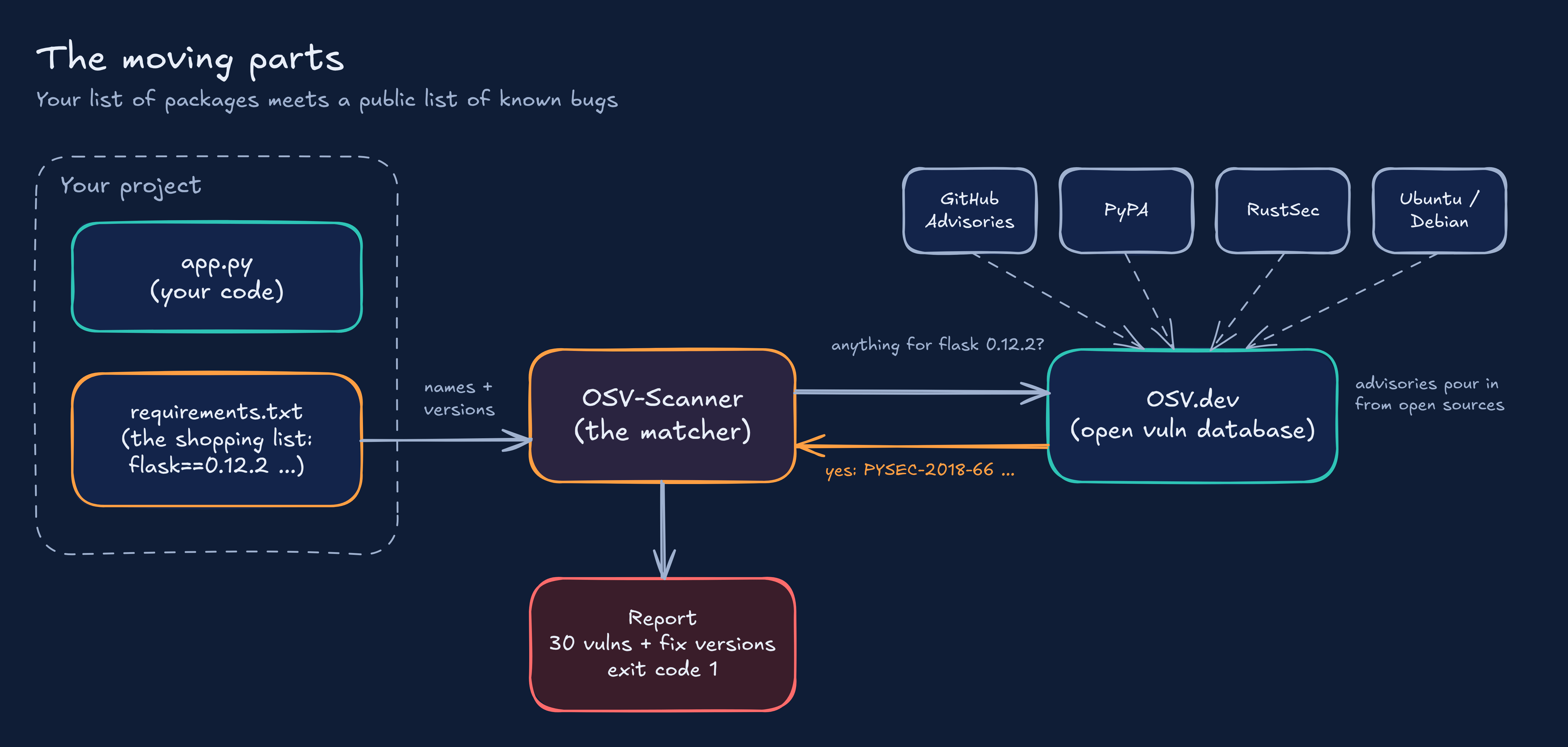
Before we install anything, stay with me here. A scanner is only useful if you understand what it’s comparing. There are five pieces to get your head around, and none of them are scary.
Dependencies: Code your project uses but didn’t write. Think of baking a cake with shop bought flour. You’re responsible for the cake, but you didn’t mill the flour. If the flour factory had a recall, your cake has a problem too.
Direct vs transitive: You install Flask. Flask brings Jinja2. Flask is a direct dependency, Jinja2 is a transitive one (a dependency of a dependency). Most of the scary stuff hides in that second group, because you never chose it.
Manifests and lockfiles: A manifest is your shopping list (requirements.txt, package.json). A lockfile is the receipt, the exact versions that actually got installed (package-lock.json, poetry.lock). Scanners love lockfiles because exact versions mean exact answers.
Advisories and CVEs: When someone finds a hole in a package, it gets written up as an advisory (what’s broken, which versions, what fixes it). A CVE is just a reference number for that bug, like a case number. You’ll see the same bug under several names, which trips everyone up at first.
OSV.dev: A free, open vulnerability database run by Google. It pulls advisories from lots of open sources (GitHub, the Python Packaging Authority, RustSec, Linux distros and more) into one format that a machine can read without guessing.
And OSV-Scanner is the bit in the middle. It reads your shopping list, asks OSV.dev “anything known about these exact versions?” and tells you what comes back.
Side Note: One bug can have three names
Different databases give the same bug their own ID. Python’s database calls it one thing, GitHub calls it another, and the global CVE system gives it a third.
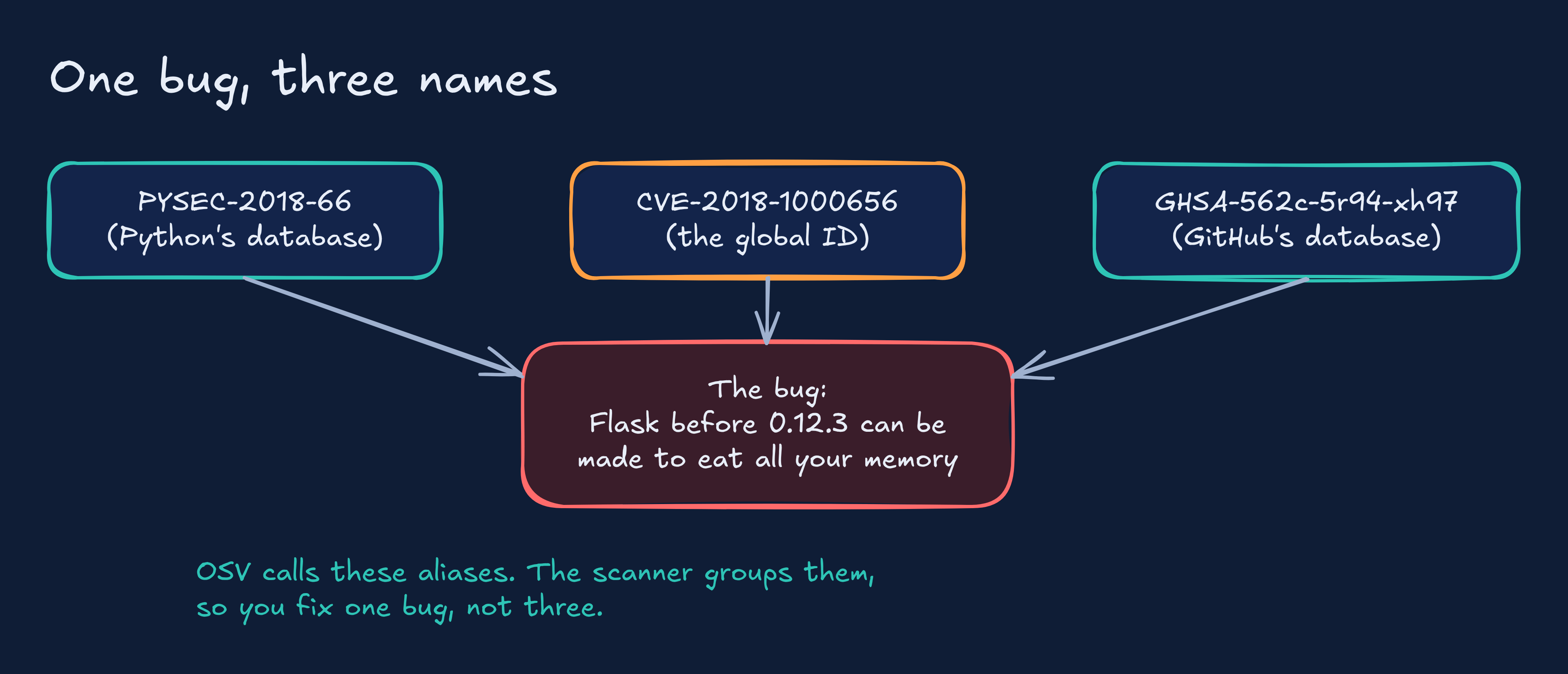
OSV calls these aliases and groups them together, so you’re fixing one bug, not three. When a colleague says “have you patched CVE-2018-1000656?” and your scanner says PYSEC-2018-66, you now know you’re talking about the same thing.
That kind of detail makes you sound like you’ve done this before 😉 Fake it till you make it and so on… No, really.
As usual, I reserve the Projects for community members…Come join the fun! 🌍
