



Last Issue: Break into Cloud Security. Calmly.
Next Issue: Kali Linux… on A STEAM MACHINE?
Why enterprise AI does not look like your ChatGPT tab
When you use ChatGPT or Claude through the consumer apps, you are a guest on their server. Fine for drafting an email. Not fine when the prompt or data contains customer records, source code or the contents of your ticketing system.
Organisations solve this one of two ways. Either they configure their own tenant with the vendor directly, or they put the models behind a cloud platform they already control and already audit. Bedrock is the second option on AWS.
The difference is worth spelling out, as up in interviews:
The call stays inside your account boundary. Requests go to a Bedrock endpoint in your region, under your account, not off to a consumer endpoint somewhere.
Access is IAM. Same roles, policies and conditions you already use for everything else. No separate user list to forget about.
You can sanitise what goes in and what comes out. Bedrock calls this Guardrails. It will strip PII, block topics, and filter content before the model ever sees the input.
It becomes a component. Once the model is an API inside your account you can wire it into Lambda, Step Functions, a Knowledge Base sitting on S3 or an agent that calls your internal tools.
That last point is where it gets interesting, and it is the reason this is worth learning properly rather than just knowing the marketing page exists.
Try a model before you commit to one
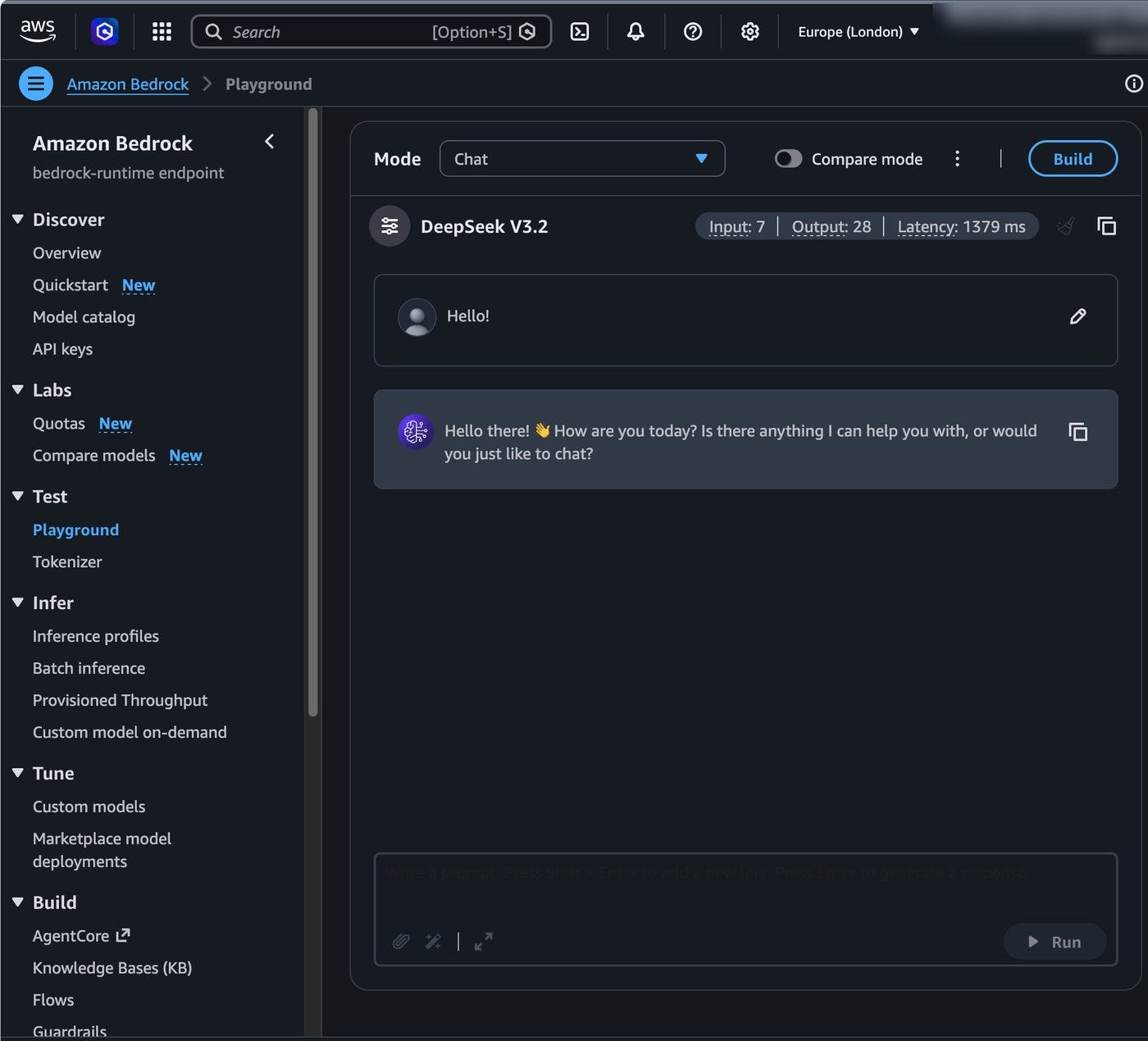
Before writing any code, go to Playground under Test. Pick a model, type something, watch what comes back.
I gave DeepSeek V3.2 a plain “Hello!” and got a reply in 1379ms for 28 output tokens. Not a benchmark by any stretch, but it tells you two useful things: the model is available in your region, and your account is allowed to call it.
Project time!
Step 1: get into the new console
Sign into AWS and search for Bedrock. If you land on the old console, take the Try the new Bedrock Console button on the Overview page.
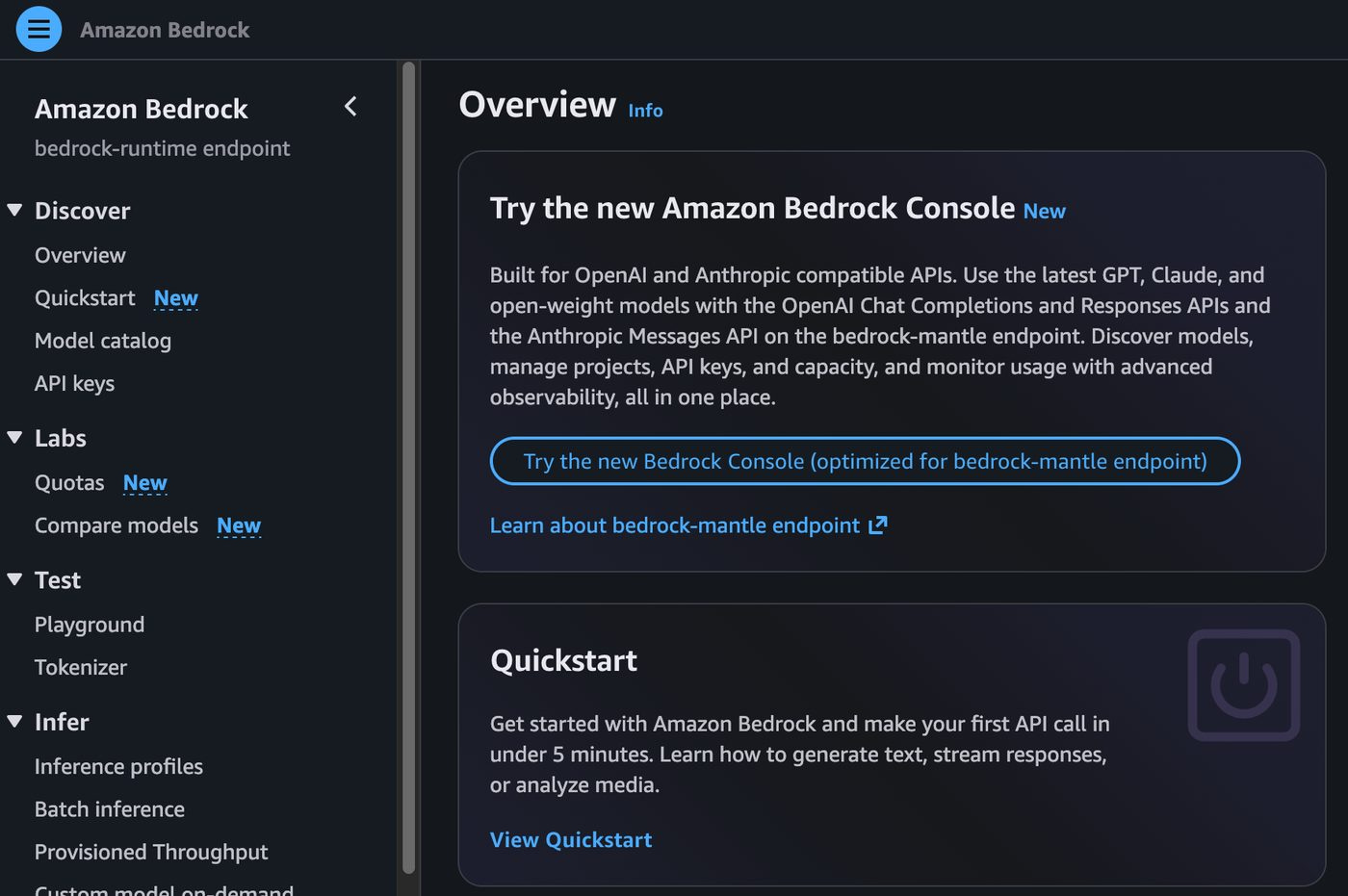
The new experience is built around the bedrock-mantle endpoint, which is the part that speaks OpenAI and Anthropic request formats. The old console has not gone anywhere. Agents, Knowledge Bases, fine tuning and the original bedrock-runtime APIs all still live there.
Step 2: Quickstart, then Generate text
Click Quickstart in the left nav. You get three use cases: Generate text, Stream responses, and Analyze media. Choose Generate text.
Each card offers three API methods underneath it: Responses, Converse and Invoke. Responses is the OpenAI compatible one, and it is what AWS recommends starting with. Then hit Generate API Key.
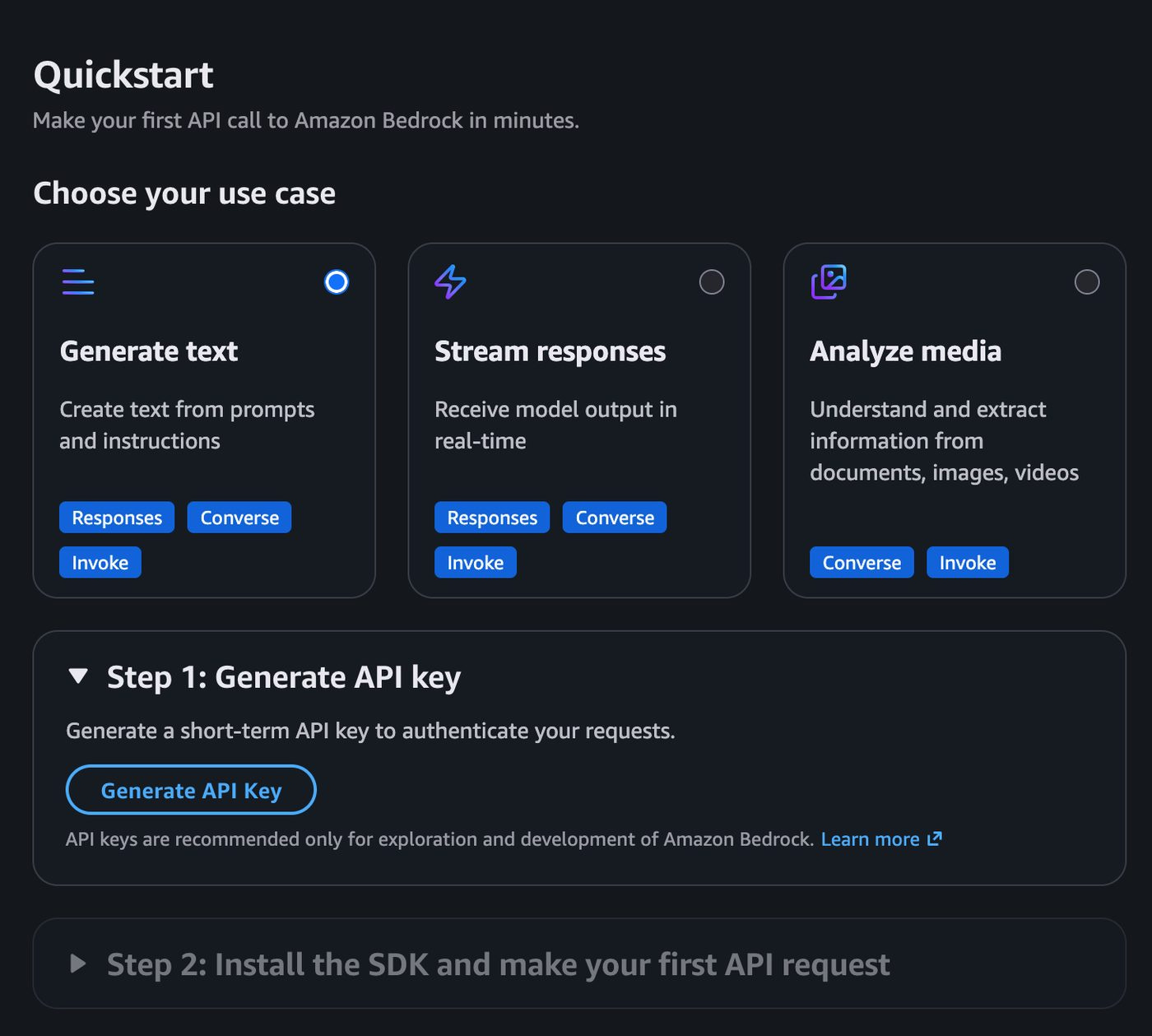
A word on those keys. They are short term, and AWS is explicit that they are for exploration and development only. Do not put one in a production service. For anything real, attach an IAM role and let the SDK pick up credentials the normal way.
